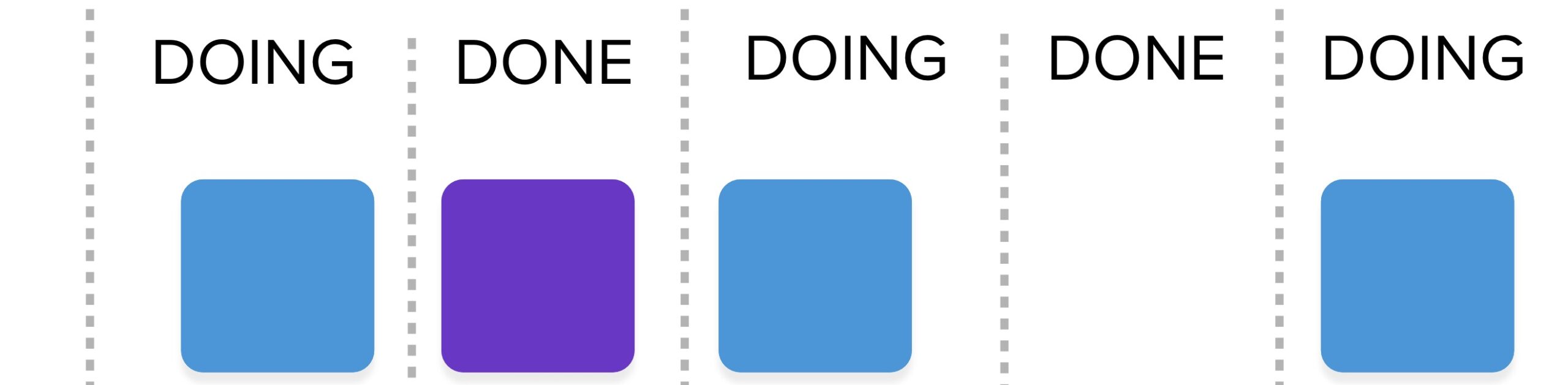
Queues are stacks of things sitting around idle that no one is currently working on. Invisible queues are everywhere in our work, and we need to reduce or eliminate them whenever possible. The longer any item sits in a queue, the higher its cost of delay. Kanban is a way to make a system visible so that we can observe the flow of work and make improvement. But often, the way a Kanban is set up, it creates an initial level of transparency, but then the team doesn’t take it to the next level to reveal their own invisible queues to improve efficiency.
How to Make Your Kanban Show Queues
The typical Kanban only provides visibility into the state of the work being performed. The following illustration shows a product stream Kanban. The team’s activities are the colorful cards. The grey cards left of the team’s execution are the business activities that the product owner is involved in to develop a backlog for the team. Items that are “ready” are in the team’s backlog for them to pull from. The READY column is a queue. Work sits in there waiting for the team to work on it. This sort of visibility is normal.
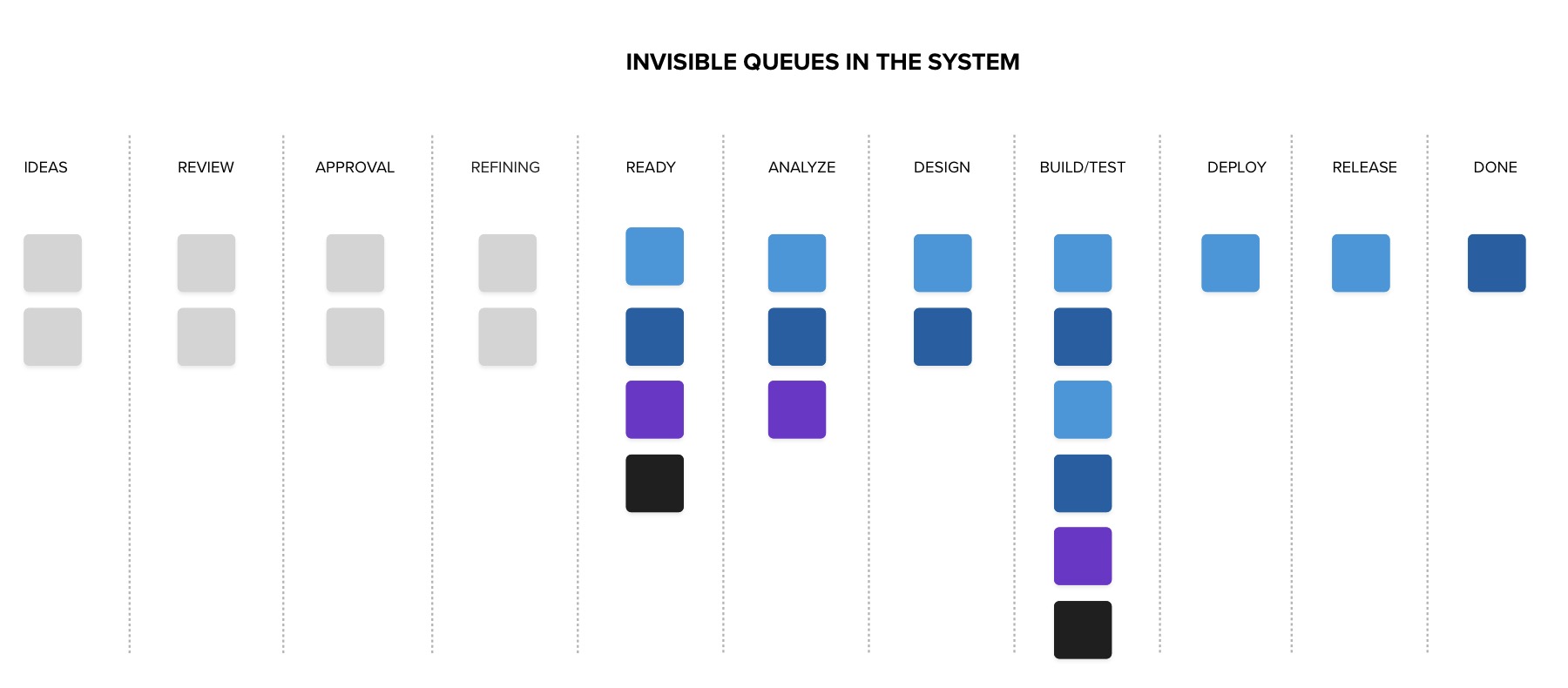
This sort of Kanban with a backlog queue is common. Most teams don’t do very much with this queue, but they should. Work shouldn’t sit idle for too long – even if it is in the team’s backlog. When you measure the entire time to market as a cycle time, the number days items spend in the backlog and the number of items in the backlog also impede agility. After reaching a certain age, the backlog can be pruned to shorten it. Steps can be taken to indicate aging in the backlog to show the old, less valuable ideas which have not been selected for work repeatedly that could probably be removed (moved to done and indicated as canceled).
This leads me to the thought that even a backlog may need an upper limit. Perhaps 30-60 items would be approaching or beyond the limit of what is too large for a product owner to keep well-ordered.
The backlog is not the only queue. There are queues also in other activities. When work is finished, but downstream players are unwilling or unable to start work, then it is sitting in a queue. A queue that is not visualized is invisible. We can make it visible like this:
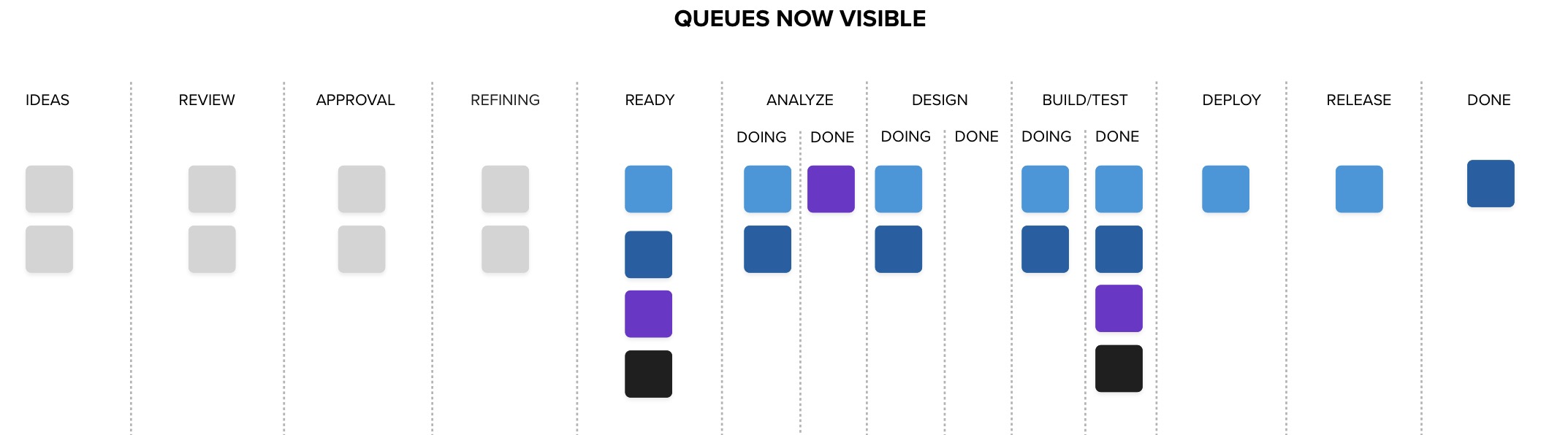
The doing/done divisions in activities that are WIP limited allow us to see queues forming inside the team. ANALYZE work has two items underway, but one finished and sitting idle. It is in a queue. We could allow DESIGN to pull that item forward, but, it would disappear without being worked on, and the queue it would be in would be invisible.
Notice also in this Kanban that I have combined BUILD and TEST in the same column. I did that intentionally for two reasons:
- I want to encourage anyone who builds to test and testers to build. This work should be paired, mobbed, or swarmed in some way to reduce WIP thereby lowering Cycle Time and reducing defects.
- I don’t want work flowing upstream when viewing this entire stream at this altitude. Perhaps with a Kanban that details more team activities to greater resolution, these activities can be separated, and a buffer column in front of BUILD can hold defects returned from QA to obstruct new work while old work is being completed.
There always seems to be a problem with work flowing backward from TEST to BUILD. Teams should work to prevent the defects in the first place using Built-In-Quality techniques such as frequent pairing, reviews, unit testing, and automation wherever possible. Also, teams should avoid violating limits on WIP by having more work pulled into BUILD before TEST is completed successfully on those items (or they are canceled).
Evolve Your Kanban
A Kanban evolves in the context in which it is grown organically – almost like a plant. It is a visualization to help the unseen become obvious. What work is in progress, what work is idle, how much work is waiting, and using metrics – how long it has been waiting and how long it takes to complete it. As your team works, make changes and enhancements to the Kanban that make the hidden things come out into the open to aid in continuous improvement of the team.
Don’t Be Like Most Teams
Most teams seem to establish a Kanban in ADO or Jira and then let it sit there. When inspected, the Kanban has WIP limits, but they were set by default or using the number of people on the team as a limit. Teams typically violate the WIP limits regularly, not understanding that by doing so, they reduce their ability to deliver and slow themselves down. They complain that they are bored, that things are waiting to be worked on, that they can work in parallel. They complain that working on many things at once is more efficient.